
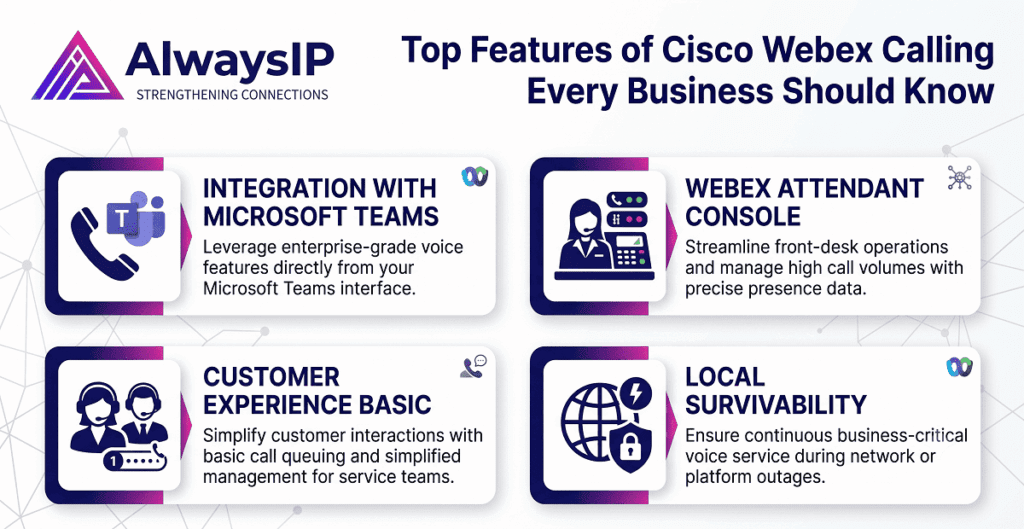
In today’s fast-paced business environment, communication plays a critical role in productivity, customer service, and team collaboration. Traditional phone systems often struggle to meet the demands of hybrid workforces, remote employees, and growing customer expectations. This is where Cisco Webex Calling stands out as a powerful cloud-based communication solution.
Designed to provide enterprise-grade calling capabilities, flexibility, and security, Cisco Webex Calling enables businesses to modernize their communication infrastructure without the complexity of traditional PBX systems. Whether you operate a small business or a large enterprise, understanding the key features of Cisco Webex Calling can help you maximize its value and improve business operations.
In this guide, we’ll explore the top Cisco Webex Calling features every business should know and how they contribute to a more connected and productive workplace.
What Is Cisco Webex Calling?
Cisco Webex Calling is a cloud-based business phone system that delivers enterprise-grade calling through the Webex platform. It combines voice calling, messaging, meetings, and collaboration tools into a single unified communications solution.
Unlike traditional on-premise phone systems, Cisco Webex Calling operates entirely in the cloud, reducing hardware requirements while providing greater flexibility and scalability.
Businesses can manage calls from desk phones, mobile devices, laptops, and tablets, ensuring employees stay connected regardless of their location.
1. Cloud-Based Business Calling
One of the most significant advantages of Cisco Webex Calling is its cloud-native architecture.
Instead of relying on expensive on-site PBX hardware, businesses can manage their entire phone system through the cloud. This provides several benefits:
- Reduced infrastructure costs
- Simplified maintenance
- Automatic software updates
- Greater flexibility for remote teams
- Easy scalability as the business grows
With cloud calling, organizations can quickly add or remove users without investing in additional hardware.
Why It Matters
Businesses gain access to enterprise-level calling features while reducing operational complexity and IT management requirements.
2. Unified Communications Platform
Cisco Webex Calling is more than just a phone system. It integrates voice, video meetings, messaging, and collaboration into a single platform.
Employees can:
- Make and receive calls
- Join video meetings
- Send instant messages
- Share files
- Collaborate in team spaces
This unified experience eliminates the need for multiple communication tools and improves workplace efficiency.
Business Benefits
A centralized communication platform helps employees switch seamlessly between calling, messaging, and meetings without disrupting workflow.
3. Enterprise-Grade Security
Security is a top concern for modern organizations, especially when communication systems handle sensitive business information.
Cisco Webex Calling includes robust security features such as:
- End-to-end encryption
- Secure identity management
- Data protection measures
- Threat monitoring
- Compliance support
Cisco’s reputation as a global networking and security leader provides businesses with confidence that their communications remain protected.
Why Security Matters
Strong security safeguards business conversations, customer data, and company information from cyber threats.
4. Flexible Remote and Hybrid Work Support
The modern workforce is no longer confined to the office.
Cisco Webex Calling enables employees to stay connected from virtually anywhere using:
- Desktop applications
- Mobile apps
- Web browsers
- Compatible desk phones
Whether employees are working from home, traveling, or operating from multiple office locations, they can access the same calling features and business phone numbers.
Business Benefits
This flexibility supports productivity while maintaining professional communication standards across distributed teams.
5. Advanced Call Management Features
A key reason businesses choose Cisco Webex Calling is its extensive call management functionality.
Popular features include:
Call Forwarding
Automatically redirect calls to another device or user.
Call Transfer
Transfer calls quickly between team members.
Call Hold
Place callers on hold while accessing additional information.
Call Queueing
Manage incoming call volumes efficiently.
Auto Attendant
Provide automated call routing and self-service options.
Hunt Groups
Distribute calls across multiple employees or departments.
These capabilities ensure professional customer interactions and efficient call handling.
6. High-Quality Voice Performance
Poor call quality can damage customer relationships and reduce employee productivity.
Cisco Webex Calling delivers:
- HD voice quality
- Reliable call connections
- Reduced latency
- Enhanced audio clarity
The platform is designed to provide consistent communication experiences across various devices and network environments.
Why It Matters
Clear voice communication improves customer satisfaction and reduces misunderstandings during important conversations.
7. Seamless Integration with Business Applications
Modern businesses rely on numerous software platforms to manage operations.
Cisco Webex Calling integrates with a wide range of applications, including:
- Customer Relationship Management (CRM) systems
- Productivity tools
- Collaboration platforms
- Contact centre solutions
- Microsoft applications
These integrations help employees work more efficiently by reducing the need to switch between systems.
Business Benefits
Integrated workflows improve productivity and streamline customer interactions.
8. Mobile Calling Capabilities
Business communication increasingly happens on mobile devices.
Cisco Webex Calling allows employees to:
- Use their business number on mobile devices
- Make professional calls from anywhere
- Access voicemail remotely
- Manage calls through the Webex app
This ensures employees remain accessible while maintaining a professional business presence.
Why It Matters
Mobile calling supports workforce mobility without compromising communication quality.
9. Intelligent Voicemail Features
Voicemail remains an important business communication tool.
Cisco Webex Calling includes advanced voicemail capabilities such as:
- Visual voicemail
- Voicemail-to-email delivery
- Voicemail notifications
- Remote voicemail access
These features help employees manage messages more effectively and respond quickly to customer inquiries.
Business Benefits
Improved voicemail management ensures important communications are never missed.
10. Scalability for Growing Businesses
As businesses expand, communication systems must evolve with them.
Cisco Webex Calling offers exceptional scalability, allowing organizations to:
- Add users instantly
- Open new office locations
- Support remote employees
- Expand globally
The cloud-based model eliminates many of the limitations associated with traditional phone systems.
Why Scalability Matters
Businesses can grow confidently without worrying about communication infrastructure constraints.
11. Analytics and Reporting Tools
Understanding communication performance is essential for continuous improvement.
Cisco Webex Calling provides detailed analytics that help organizations monitor:
- Call volumes
- User activity
- Call quality
- Service performance
- Adoption rates
Managers gain valuable insights into communication trends and operational efficiency.
Business Benefits
Data-driven decision-making helps optimize customer service and workforce productivity.
12. Reliable Business Continuity
Unexpected disruptions can affect business operations.
Cisco Webex Calling helps organizations maintain communication during:
- Office closures
- Network issues
- Natural disasters
- Remote working transitions
Cloud-based infrastructure ensures employees can continue making and receiving calls from alternative locations.
Why It Matters
Business continuity reduces downtime and protects customer relationships during unexpected events.
13. Easy Administration and Management
Managing traditional phone systems often requires significant IT resources.
Cisco Webex Calling simplifies administration through a centralized management portal where administrators can:
- Add users
- Configure features
- Manage devices
- Monitor performance
- Control permissions
This user-friendly approach reduces administrative workload and improves operational efficiency.
Business Benefits
Simplified management allows IT teams to focus on strategic initiatives rather than routine maintenance.
14. Global Reach and Multi-Location Support
Many organizations operate across multiple locations and regions.
Cisco Webex Calling supports:
- International calling
- Multi-site management
- Consistent user experiences
- Centralized administration
This makes it an ideal solution for businesses with distributed teams and global operations.
Why It Matters
Organizations can maintain unified communications regardless of geographic location.
15. Future-Proof Communication Technology
Technology continues to evolve rapidly, and businesses need communication systems that can adapt.
Cisco Webex Calling receives regular updates and enhancements through the cloud, ensuring businesses always have access to:
- New features
- Security improvements
- Performance updates
- Integration enhancements
This future-ready approach helps organizations stay competitive and responsive to changing business needs.
Why Businesses Choose Cisco Webex Calling
Organizations across various industries choose Cisco Webex Calling because it delivers:
- Enterprise-grade reliability
- Cloud-based flexibility
- Advanced security
- Unified communications
- Remote work support
- Scalable growth opportunities
- Improved collaboration
- Simplified management
By combining calling, messaging, meetings, and collaboration into a single platform, Cisco Webex Calling provides a modern communication experience that supports today’s evolving workplace.
Conclusion
Effective communication is the foundation of every successful business. As organizations embrace hybrid work, digital transformation, and customer-centric operations, traditional phone systems often fall short of modern requirements.
Cisco Webex Calling addresses these challenges by offering a secure, scalable, and feature-rich cloud communication solution. From advanced call management and mobile access to enterprise-grade security and seamless collaboration tools, the platform provides everything businesses need to stay connected and productive.
Whether you’re looking to improve customer interactions, support remote employees, or modernize your communication infrastructure, Cisco Webex Calling offers the flexibility and reliability required for long-term business success.
Frequently Asked Questions (FAQs)
1. What is Cisco Webex Calling?
Cisco Webex Calling is a cloud-based business phone system that provides enterprise-grade voice calling, messaging, meetings, and collaboration tools through the Webex platform.
2. Is Cisco Webex Calling suitable for small businesses?
Yes. Cisco Webex Calling is highly scalable and suitable for small businesses, medium-sized organizations, and large enterprises.
3. Can employees use Cisco Webex Calling on mobile devices?
Yes. Users can make and receive business calls through mobile apps while maintaining their professional business number.
4. Does Cisco Webex Calling support remote work?
Absolutely. Cisco Webex Calling is designed to support hybrid and remote work environments by providing access from virtually any location.
5. Is Cisco Webex Calling secure?
Yes. Cisco Webex Calling includes enterprise-grade security features such as encryption, secure access controls, and threat protection measures.
6. What are the key benefits of Cisco Webex Calling?
Key benefits include cloud-based flexibility, advanced calling features, unified communications, enhanced security, scalability, remote work support, and simplified management.
7. Can Cisco Webex Calling integrate with other business applications?
Yes. Cisco Webex Calling integrates with various CRM platforms, productivity tools, collaboration software, and business applications to improve workflow efficiency.